Your membership card, in every member's phone.
Add your members, send each one a claim link, and they save a branded pass to Google Wallet. Update the card once and sync it to everyone.
Already have access? Sign in.
Google Wallet today · Apple Wallet coming soon
Google Wallet
PassMembership
Taylor Reed
Member ID
HAC-1001
Status
Active

HAC-1001
How it works
From member list to wallet in three steps
Set up your organization
Set your branding and pass design, then add members one by one or in bulk.
Members claim their pass
Each member gets a personal claim link by email. No PassConsole app or account to set up.
Add to Google Wallet
One tap saves the pass to their phone, ready whenever they need to show it.
The console
One place to manage every member
Add, edit and revoke members, see wallet and claim status, and pull a claim link for anyone.
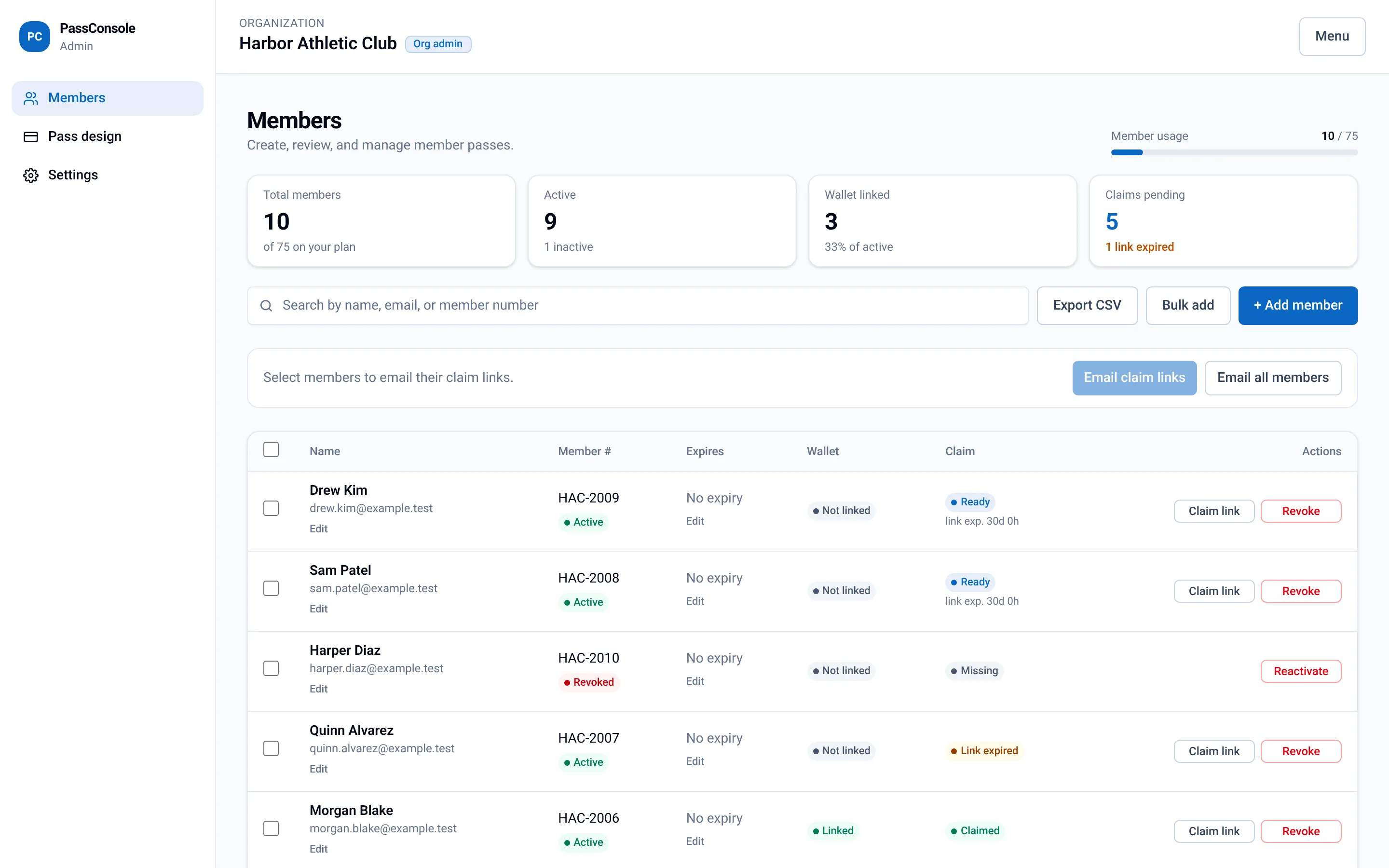
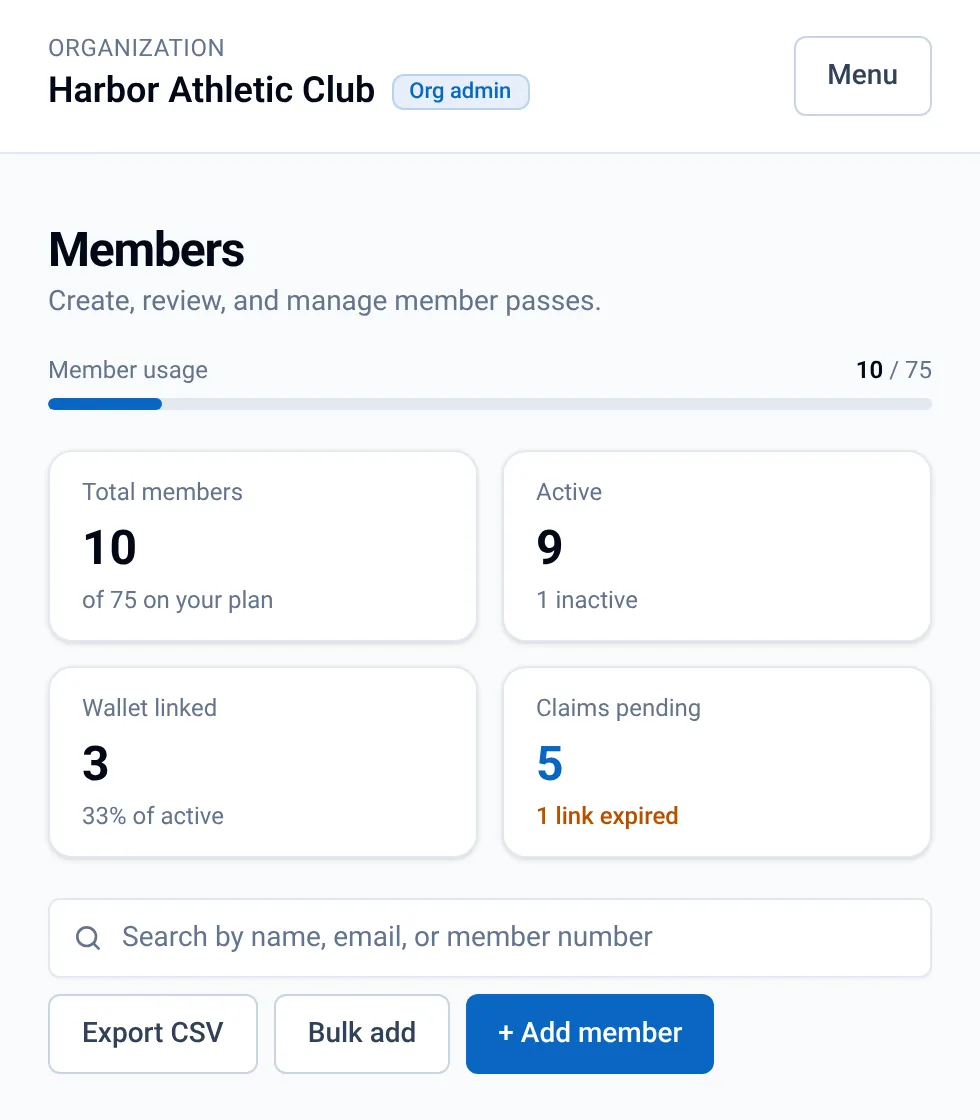
Actual admin screen, shown with demo data.
The claim link
How a pass reaches a member
Admin
Adds the member in the console
Claim link
A personal link is sent to the member
Phone
Member opens it, no PassConsole app needed
Google Wallet
One tap saves the pass
Features
Everything to run a digital pass program
Member management
Add members individually, bulk add a list, and export to CSV anytime.
Claim links
Personal, single-member links track who has claimed and who hasn't.
Your branding
Logo, colors and pass design managed from one settings page.
Sync pass design
Edit once, then sync updates out to every pass already in a wallet.
Email delivery
Claim links and admin sign-in links are delivered by email.
Admin roles
Platform admins and org admins, with separate controls for each organization.
FAQ
Common questions
What is a wallet pass?
A digital membership card that lives in Google Wallet on a member's phone. It shows their name, member ID and status, just like a plastic membership card. A scannable barcode or QR code is optional, so a pass can simply be shown as a membership card.
Do members need to download an app?
Not a PassConsole app. Members open their personal claim link and tap to save the pass to Google Wallet. On an Android phone, if Google Wallet isn't installed yet, Google prompts them to get it. Eligible saved passes can also be viewed on the Google Wallet website (wallet.google.com) when signed in to the same Google account.
Does it work with Apple Wallet?
Not yet. PassConsole is built for both: Google Wallet is supported today, and Apple Wallet support is coming soon.
What happens when pass details change?
Update your pass design in the console, then sync it. Changes are pushed to passes already saved in members' wallets, so nobody needs to re-download anything.
Sources (checked October 25, 2026): Google Wallet: add a pass · Google Wallet: get the app · Google Wallet website · Google Wallet API: updating passes · Apple Wallet
Last updated:
Ready to put your pass in the wallet?
Request access to set up your organization and invite your members.
Request access →